 how-to
Ensuring Reliable Security Guard Attendance: A 2026 Guide
Table of Contents
- Why Reliable Security Guard Attendance Matters
- What You'll Need to Build an Accountability System
- Step 1: Set Up Security Guard Attendance Tracking Software
- Step 2: Implement Biometric and GPS Verification
- Step 3: Managing Security Guard Call-Outs and Shift Coverage
- Step 4: Hiring Armed vs Unarmed Guards and Their Schedules
- Step 5: Handling Disputes and Documenting Compliance
- Common Mistakes to Avoid When Tracking Attendance
- Frequently Asked Questions
Last Updated: September 5, 2026
Why Reliable Security Guard Attendance Matters
A single missed shift can unravel an entire security plan, leaving an unguarded door and a liability exposure. Reliable attendance is the foundation of any contract security program.
This guide walks through the practical steps to build an accountability framework that holds up under real-world pressure, from software choice to morale and dispute resolution.
An attendance failure triggers a cascade of consequences: unwritten incident reports, late alarm responses, and difficult insurance questions. A documented, verifiable record of who was on site and when protects your property, staff, and legal position.
What You'll Need to Build an Accountability System
Building a reliable attendance system requires a coordinated setup of policies, technology, and verification methods.
Define Clear Attendance Policies
Every accountability system starts with a written policy that leaves no room for interpretation. It should specify clock-in and clock-out procedures, the grace period, the absence reporting protocol, and consequences for repeated violations.
Choose a Verification Method
The verification method determines how much you can trust your attendance data. Manual registers and verbal check-ins are vulnerable to errors and buddy punching. Digital methods, including mobile check-ins, QR code scanning, and biometric options, create a more reliable audit trail.
Step 1: Set Up Security Guard Attendance Tracking Software
Security guard attendance tracking software replaces manual registers with automated timekeeping that records every check-in and check-out in real time, giving supervisors a live view of who is on site, who is running late, and which posts are uncovered.
When evaluating software, prioritize these capabilities:
- Real-time dashboards that show current guard status across all your locations
- Automated alerts that notify supervisors the moment a guard fails to clock in on schedule
- Shift scheduling integration so open posts are visible and fillable immediately
- Payroll integration to eliminate duplicate data entry and reduce calculation errors
A common mistake is selecting software guards find difficult to use; if the app is clunky or check-in takes too long, compliance drops. Run a pilot test with your actual guards before committing.
Step 2: Implement Biometric and GPS Verification
Biometric and GPS verification methods close the gap between a guard claiming to be on site and actually being there. Biometric verification ties the check-in to a specific person, making buddy punching nearly impossible. GPS geofencing provides real-time proof of presence by confirming the check-in occurred within a defined radius of the post.
For most fixed sites, a combination approach works best: a guard opens the mobile app, verifies their identity through a PIN or biometric scan, and confirms their location within the geofenced area. This dual verification creates digital proof of presence that is difficult to falsify.
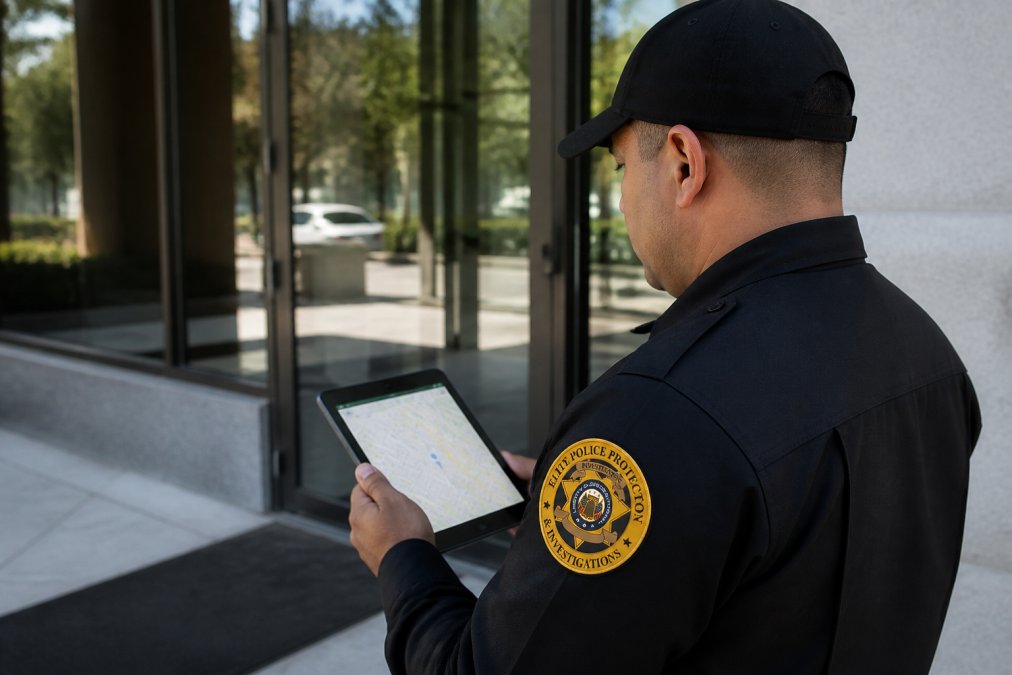
The data generated by these systems feeds directly into your audit trail. Every check-in, checkpoint, and exception is timestamped and stored, creating an incident log that supports operational reviews and compliance documentation.
Step 3: Managing Security Guard Call-Outs and Shift Coverage
Even the best attendance system cannot prevent every illness or emergency. Managing call-outs effectively is about having a response protocol ready before the first absence occurs. The most common reason call-out protocols fail isn't a lack of a backup list, it's that backup guards don't want to be bothered and primary guards don't want to admit they can't make it.
The Real Reason Guards Call Out (and How to Address It)
Guards call out for three primary reasons: genuine illness, family emergencies, and burnout. You cannot schedule your way out of the first two, but you can dramatically reduce the third.
Burnout-driven call-outs are often a symptom of an unfair on-call rotation. If the same two or three reliable guards are always asked to cover shifts, they will eventually decline or find other employment.
To break this cycle, implement a rotating backup pool with a published schedule. Assign backup duty on a weekly rotation instead of asking for volunteers at the last minute.
The Communication Chain: Who, When, and How
Start with a clear communication chain. Guards should know exactly who to contact and by what time when they cannot make a shift. The industry standard is a minimum of two hours' notice for non-emergency absences, though many contracts require four.
Your attendance tracking software should flag open shifts automatically, allowing supervisors to post the opening to a qualified backup pool immediately. But the software alert is only the beginning. A supervisor must personally call the first available backup guard.
The 15-Minute Rule for Uncovered Posts
When a post is still uncovered 15 minutes before shift start, escalate the issue. Most contract security agreements have a service level agreement (SLA) requiring a guard on site at the scheduled time. If you cannot fill the post internally, you need a pre-negotiated arrangement with a neighboring security firm for emergency mutual aid.
Documenting the Call-Out for Compliance
Every call-out, whether filled or unfilled, must be documented. This creates a pattern of behavior that informs performance reviews and provides a legal record if a client disputes coverage. Documentation should include the time of the call, the reason given, the supervisor who took the call, and the resolution.
Training Your Guards on the New System
The rollout of a new call-out protocol is where most implementations fail. Guards used to a casual text message to a supervisor will resist a formalized system. Hold a dedicated training session that explains not just the mechanics, but the reason behind it. Frame it as a fairness issue: the system ensures backup duty is shared equitably.
Designate a "system champion", a respected guard or supervisor who has used the system successfully and can troubleshoot common issues during the first two weeks of rollout.
Measuring the Effectiveness of Your Call-Out Protocol
Track two metrics to evaluate your call-out management: the fill rate (percentage of open shifts filled by a qualified guard) and the average time to fill (minutes between the call-out notification and the backup guard's acceptance). A fill rate below 90% indicates a backup pool that is too small or a rotation that is too burdensome. An average time to fill above 30 minutes suggests your communication chain is too slow.
Step 4: Hiring Armed vs Unarmed Guards and Their Schedules
The decision between hiring armed vs unarmed guards affects more than your budget; it shapes your entire scheduling and verification strategy. Armed guards typically require more rigorous vetting, ongoing training, and compliance with state-specific licensing requirements.
For facilities with higher risk profiles, such as those handling cash, sensitive data, or high-profile individuals, armed guards are often the appropriate choice. Unarmed guards are well suited for access control, customer service roles, and environments where a less confrontational presence is preferred.
Your attendance system must accommodate these different requirements. An armed guard's check-in may need to include verification that their weapon is secured and that they are in proper uniform.
Step 5: Handling Disputes and Documenting Compliance
Attendance disputes will happen, and how you handle them determines whether your system maintains credibility with your guards and clients. The most common disputes involve contested clock-in times, GPS errors, and overtime calculations.
The Legal Necessity of an Audit Trail
The Fair Labor Standards Act (FLSA) requires employers to maintain accurate records of hours worked and wages paid for non-exempt employees. For security guard companies, your attendance system is not just an operational tool; it is a legal record. The U.S. Department of Labor (DOL) can request these records during an investigation, and the burden of proof is on the employer.
A digital log with timestamps, geolocation, and biometric verification is far more defensible than a handwritten register and much harder to challenge.
The Dispute Resolution Process: A Step-by-Step Mechanism
When a dispute arises, follow a consistent procedure documented in your employee handbook.
- Pull the raw data from your attendance system, including timestamps, geolocation logs, and biometric verification records. Do not rely on a summary report.
- Interview the guard within 48 hours of the dispute being raised. Ask them to explain their account and provide any evidence they have.
- Review any supporting evidence, such as incident reports, camera footage, or supervisor notes. If the dispute involves a GPS error, check whether the geolocation data shows a pattern of drift at that site.
- Document the resolution in writing and share it with all relevant parties. The written resolution should state the facts, evidence reviewed, decision, and rationale. This document becomes part of the guard's personnel file and the site's compliance record.
Handling the "My Phone Died" Defense
One of the most common dispute scenarios is the guard who claims they were on site but could not clock in because their phone battery died or they had no signal. This is where your offline functionality policy becomes critical.
A practical resolution mechanism is to require guards to use a supervisor's device or a landline to call in when their personal device fails, creating a secondary record that can be cross-referenced.
Documenting Compliance for Client Audits
Your attendance records serve a second legal purpose: they are the evidence you provide to clients who audit your performance. Many commercial contracts require the security provider to maintain and produce attendance records upon request.
If a theft occurs and the client claims the guard was not at their post, your attendance log showing the guard's check-in and patrol checkpoints is your primary defense.
The Role of the Attendance Log in Overtime Disputes
Overtime disputes are a frequent source of conflict between guards and employers. A guard may claim they worked additional hours that were not recorded, or they may dispute the calculation of overtime pay. Your attendance system should integrate with your payroll system to ensure hours worked are automatically transferred.
When an overtime dispute arises, the attendance log is the primary evidence. If the log shows the guard clocked out at the scheduled time, and the guard claims they stayed later, you need to ask why they did not clock out. The absence of a clock-out event is not proof that the guard worked; it is proof that they did not follow the clock-out procedure.
Auditing Your Own System for Accuracy
Finally, your dispute resolution process should include a periodic audit of the attendance system itself. GPS drift, software bugs, and user error can all produce inaccurate records. Conduct a quarterly audit that compares system data against supervisor observations and incident reports.
Common Mistakes to Avoid When Tracking Attendance
Several recurring errors undermine otherwise sound attendance programs.
- Treating attendance data as a punishment tool. If guards feel the system exists only to catch mistakes, they will resent it. Frame the technology as a tool that protects them from false accusations and ensures fair scheduling.
- Ignoring the change management process. Introducing new tracking software without adequate training creates confusion and resistance. Schedule dedicated training sessions, provide clear reference materials, and designate a champion who can answer questions during the first weeks of rollout.
- Failing to audit the system itself. No technology is infallible. GPS drift, software bugs, and user error can all produce inaccurate records. Conduct periodic audits comparing system data against supervisor observations to confirm the system is performing correctly.
- Overlooking the human element. Guards who feel valued, fairly scheduled, and supported are far less likely to call out unnecessarily. Combine your technical controls with good management practices to achieve the best results.
| Common Mistake | Practical Fix | Impact |
|---|---|---|
| Using software guards find difficult | Pilot test with real users before purchase | Higher daily compliance |
| Skipping change management | Provide training and a support champion | Faster staff adoption |
| Never auditing the system | Compare data against supervisor logs | Accurate, defensible records |
| Ignoring morale | Frame tracking as protection, not punishment | Lower unnecessary call-outs |
Reliable attendance is not achieved through technology alone. It requires a deliberate combination of clear policy, dependable verification, and respectful management.
Building a dependable security presence starts with the right partner. Elite Police Protection pairs highly trained personnel, including off-duty and retired law enforcement professionals, with an advanced guard monitoring system that gives clients real-time access to approved reports and patrol data. Our 24/7 availability and tailored approach mean your facility gets consistent coverage and the documentation to prove it. Apply now to build a security program you can verify, not just hope for.
Frequently Asked Questions
What are the most effective strategies for reducing security guard absenteeism?
The most effective approach combines automated timekeeping with clear accountability. Using security guard attendance tracking software with biometric or GPS verification eliminates buddy punching and provides real-time proof of presence. Pair this with a transparent attendance policy that outlines consequences for no-shows and rewards for perfect attendance. Managing guard call-outs promptly through a structured backup list also minimizes gaps. When guards see that attendance is monitored consistently and fairly, absenteeism drops.
How can technology improve security guard attendance tracking?
Technology replaces manual registers, which are prone to error and fraud. Modern security guard attendance tracking software uses QR code scanning, RFID tags, or biometric verification like fingerprint scans to confirm a guard's identity. GPS geofencing and mobile app check-ins provide real-time proof of presence at the correct site. These tools create an audit trail of clock-in and clock-out times that integrates with payroll, reducing administrative work and preventing buddy punching.
How do you handle security guard call-outs and shift coverage?
Build a structured call-out procedure that starts with a clear chain of command. When a guard calls out, the supervisor is notified immediately and activates a pre-approved backup list. Automate this process with scheduling software that alerts available off-duty guards who meet the site's qualifications. For critical posts, consider cross-training guards on multiple sites to increase flexibility. Document every call-out and the coverage response to spot patterns and address chronic absenteeism.
What role does professional training play in guard reliability?
Training directly influences reliability. Guards who understand their post orders, emergency procedures, and the importance of their role are more likely to show up on time. Thorough training also covers the attendance system itself, ensuring guards know how to clock in properly using mobile apps or biometric devices. When guards are prepared for the realities of the job, including shift work and call-outs, they handle scheduling demands more professionally.
This article was written using GrandRanker